WWW Projects for Traditional (Non-lab) Classes

Thomas N. Robb, Kyoto Sangyo University
trobb@cc.kyoto-su.ac.jp
http://www.kyoto-su.ac.jp/~trobb

Basic Steps

  1. Decide on a topic by a) unilaterally deciding on one b) letting the students decide among some feasible alternatives c) have them some with their own suggestions (They rarely come up with feasible ideas)


    Thinking about a Project

    A good project will have these qualities:
    1. It will be unique; Nothing else on the web contains similar information.
    2. It will contain information that people need.
    3. It can be constructed within the amount of time that we have available.
    4. It will not require too much maintenance in the future. (The information in the site must be resistant to change over time.)
    5. It needs to be something for which YOU can gather the information. (It cannot contain copyrighted information and graphics unless you ask for and receive permission to use them.)
    6. It must not require a lot of photographs since these take a long time to load.
    7. It should be something that the students will enjoy making.
     

  2. YOU decide on what sort of pages the project would require. (Normally at least a main page and a second level with the actual material.)
  3. The students are given their assignments which they bring in written either in longhand or on a computer (your preference). The writing goes through the normal cycle of feedback & revisions.
  4. Concurrently, you develop a final graphic design for the page. Students with known artistic ability might be able to help. Decisions will have to be made about the color scheme and bullet & button designs in addition to the general page layout. (Graphics can be drawn on paper and scanned in later if no one is proficient with a computer graphics program.) Consider using for making your logo, buttons & bullets.
  5. When you are satisfied that the writing is of proper quality, the students are required to produce a word-processed version (which is then checked and revised accordingly.)
  6. The students 'pour' the data into the template that you have produced for the data pages, producing an HTML file. They test the file in an HTML browser and bring in the material saved on disk and a printout of the page they have produced.
  7. You upload the material onto the website. One free site: http://geocities.yahoo.com/home
  8. You announce the site.

Pointers for a Great Site

  1. Choose a unified theme

    Possible topics

    • A funny thing that happened to me (collection)
    • Unusual customs (if you have a multi-cultural class)
    • An English version of your school's web site (if in a non-English speaking area)
    • Cultural sites in your area
    • A survey of restaurants in your area
    • A guide to amusement/recreational facilities in your area
      with hours, rates and other essential information.
    • A collection of essays on aspects of your town, as perceived
      through the eyes of your students.
    • Essays & photos on the appearance of traditional shops of various kinds. (Tofu-ya, hon-ya, kutsu-ya, sushi-ya, etc.) (Great idea for an exchange project with a different country.)
    • The history of your area, with each team of students describing a different era.
    • Investigative reporting on some problem area (barriers to handicapped, etc.)

  2. Set feasible goals
  3. Be careful of sources
  4. Maintenance of pages = regular work!
  5. Expect the project to not just grow, but to evolve

Some Technical Considerations

  1. Straight ASCII file editing/HTML Editors/WYSIWYG editors
  2. Links and case
  3. Use META tags Put META links in the header of each document. These are the most important:
    <META NAME="Keywords" CONTENT="keywords here">
    <META NAME="Description" CONTENT="Description for search engines">
    <META NAME="Content-Type"  CONTENT="text/html; charset=ISO-8859-1">
    <META NAME="Publisher" CONTENT="school name">
    <META NAME="Updated" CONTENT="date of publication/update">
    
  4. Avoid using upper ASCII characters
    Use straight quotation marks & apostrophes: " and ' not
    Don't use accented characters: not é but &eacute;
  5. Avoid slow-loading graphics
  6. Study exemplary pages
  7. Don't trust the page appearance on your own PC.

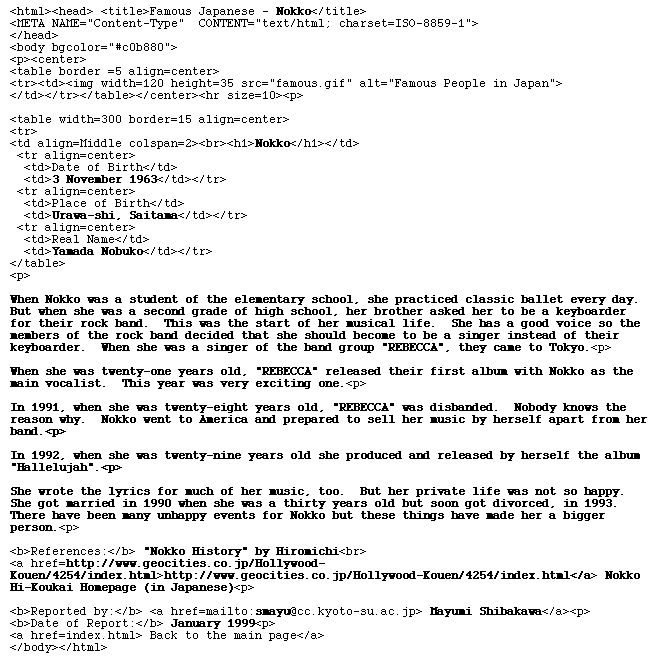
    Sample Template